


 139.99£




THE CLARIKIND SYSTEM
Make the plan, countdown and next step visible.
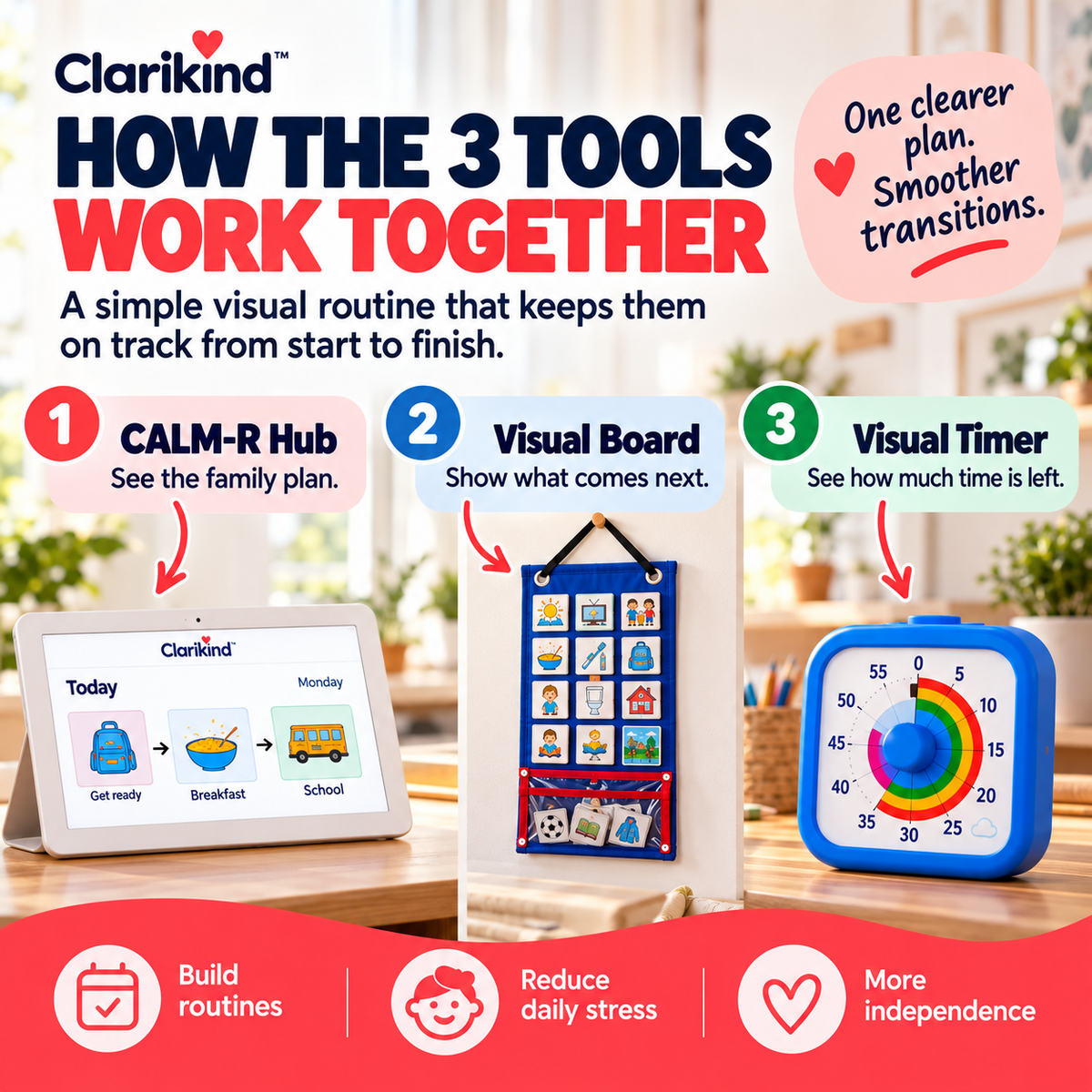
Three visual layers work together around transitions: the wider plan, the remaining time and the immediate now/next sequence.
CLARIKIND SYSTEM
3 included
One hard moment. Each tool has one job.
139.99£
 16.99£
 20.99£
Start with the real sticking point
Not every transition needs all three tools; use the layer that answers the question in front of you.
Use only what the moment needs
The plan can stay visible instead of disappearing as soon as it is said.
Everything you need to know
Description
The calendar has changed, the school run is moving and your child is asking what's happening now. You're answering the same question in three different ways. Bring the answers together.
From the week ahead to the next minute.
The Digital Family Calendar is where you share the bigger plan. The Visual Timetable shows the next familiar steps. The Visual Timer gives a countdown to a change. Used together, they make different parts of a busy day visible without expecting your child to hold the whole plan in their head.
Begin with the one change that's coming.
Put tomorrow's appointment on the calendar, lay out the steps for leaving and choose a timer for the final part. Learn the tools gradually. If your family already has a shared calendar and just needs a visible morning routine, the smaller Morning Routine Set may be enough.
Features & details
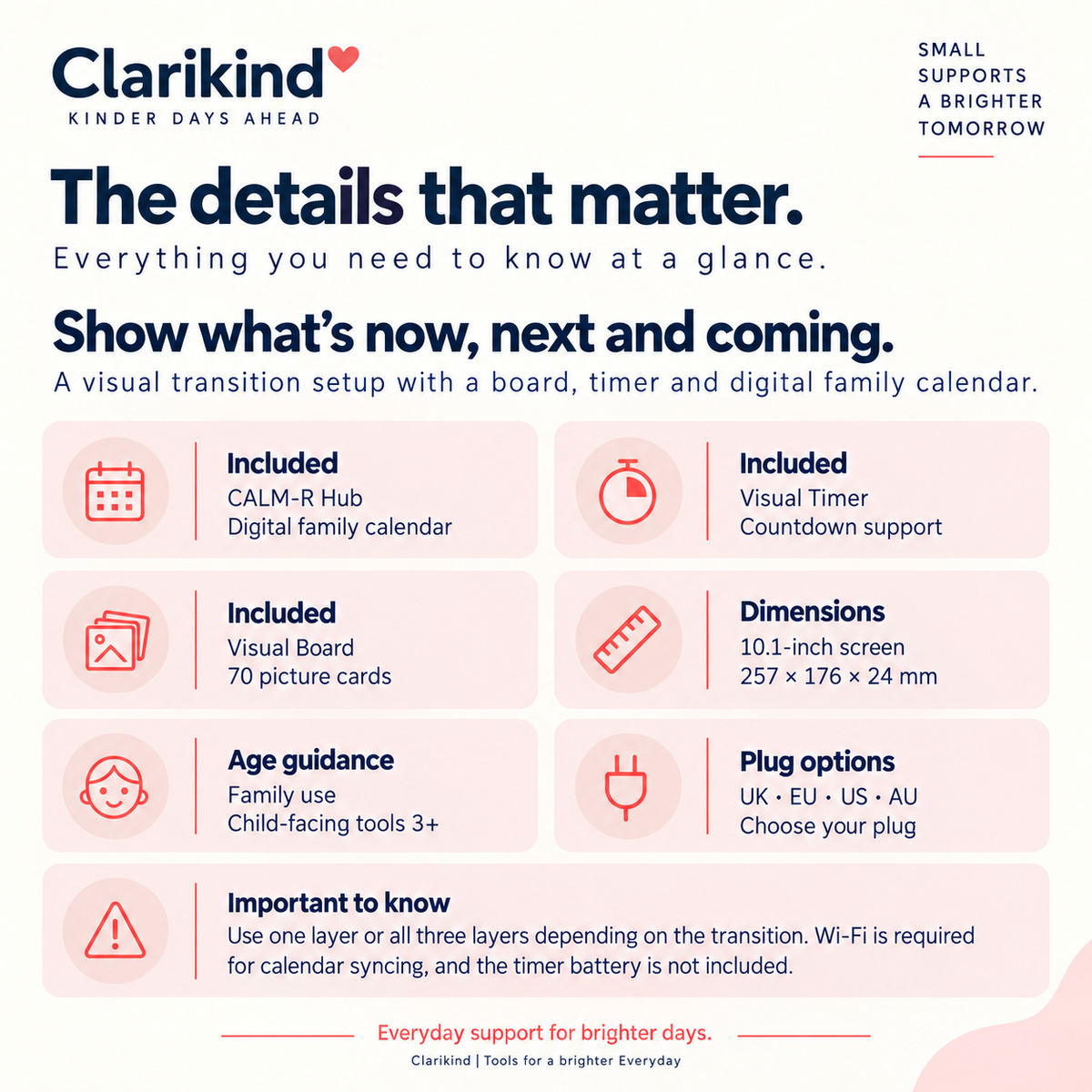
- Includes CALM-R Hub, Visual Timer and Visual Board
- Hub plug options: US, UK, AU or EU
- Timer colours: Pink, Orange, Blue or White
- Visual Board colour: Blue
- Visual Timer battery required (not included)
Delivery & returns
Delivery is free on every order. Every physical product is covered by our 14-day guarantee. See our Shipping Policy and Returns & Refunds Policy for details.
Product details, guidance & comparisons
“We’re leaving soon” still leaves a child wondering when, and what comes after. Put the family plan on the Hub, the next step on the Visual Board and the time left on the Visual Timer. Use whichever one answers today’s question, while the rest of the plan stays up for everyone to see.

When plans change, everyone can check
- The week is on show: the Hub holds school, clubs and appointments on one screen.
- The time left is on show: the Visual Timer counts down before the change.
- The next step is on show: the picture board shows now and next.
- Share the mental load: everyone can check the plan, not just you.

Do you need all three tools?
This set is for when one change brings up several questions at once: what’s happening today, what comes next, and how long is left. The Hub covers the big picture, the Visual Board the next step, and the Visual Timer the time left. If only one of those questions is causing trouble, a single tool may be enough.
Now & Next Board + Timer + Family Calendar or choosing one tool alone?
| What matters |  Clarikind Now & Next Board + Timer + Family Calendar – 3-Tool Set |
Choosing one tool alone |
|---|---|---|
| What you get | The Now & Next Board, Visual Timer and Family Calendar, together | One tool for one sticking point |
| On the day | Reach for whichever tool today needs | Only the tool you bought |
| Getting set up | Everything for changes of plan in one order | Add the other tools later if you need them |
Useful guide: Autism Transition Strategies for Everyday Changes.
HOW THE SYSTEM WORKS
Show the wider plan. Show the countdown. Show the next step.
01
Show the wider plan
Use the CALM-R Hub to make the broader family schedule or upcoming change visible.
02
Show the time left
Use the Visual Timer when the child needs to see how long remains before the change.
03
Show the next step
Use the Visual Board for the immediate now-and-next sequence instead of explaining the whole transition again.
Questions parents ask
Clear answers before you choose.

When is this the right option?
For everyday changes where the wider plan, remaining time and next step all matter.
What do I receive?
A CALM-R Hub, Visual Board and Visual Timer in your selected options. The timer battery is not included.
How do we try it first?
Set up the Hub with the correct plug and Wi-Fi, prepare a short sequence on the board and use the timer for one agreed ending.
What age or setup should I check?
Ages 5+ · Family calendar + Timer + Board · Timer battery not included
How does delivery work?
Standard delivery is generally estimated at 3–5 business days unless another estimate is shown for your order. Available destinations and any delivery charges are confirmed at checkout. See our Shipping Policy. A multi-product order may arrive in separate parcels with different tracking references.
What if it is not right for us?
Contact us before returning a product. Eligibility, return costs and any hygiene or digital-content exceptions are explained in our Returns & Refunds Policy. Your rights for faulty or misdescribed goods are unaffected.
Is the kit cheaper than buying the tools separately?
Yes. The kit costs less than buying each tool on its own — the exact saving for the options you choose is shown under the price.
Will my child actually use it?
Use it first for one change you know is coming: show the plan, set the time, then point to the next step.
WORKS WELL WITH
Other practical supports for the same everyday challenge.
Choose only what fits the moment. These are optional additions, not requirements.


 Now & Next Board + Timer + Family Calendar – 3-Tool Set
Price
159.99£