




Everything you need to know
Description
“I thought swimming was today.” “Who's picking me up?” “Did we forget the appointment?” A busy family week can end up living in one person's head. Give the plan somewhere else to live.
Make the week a conversation everyone can join.
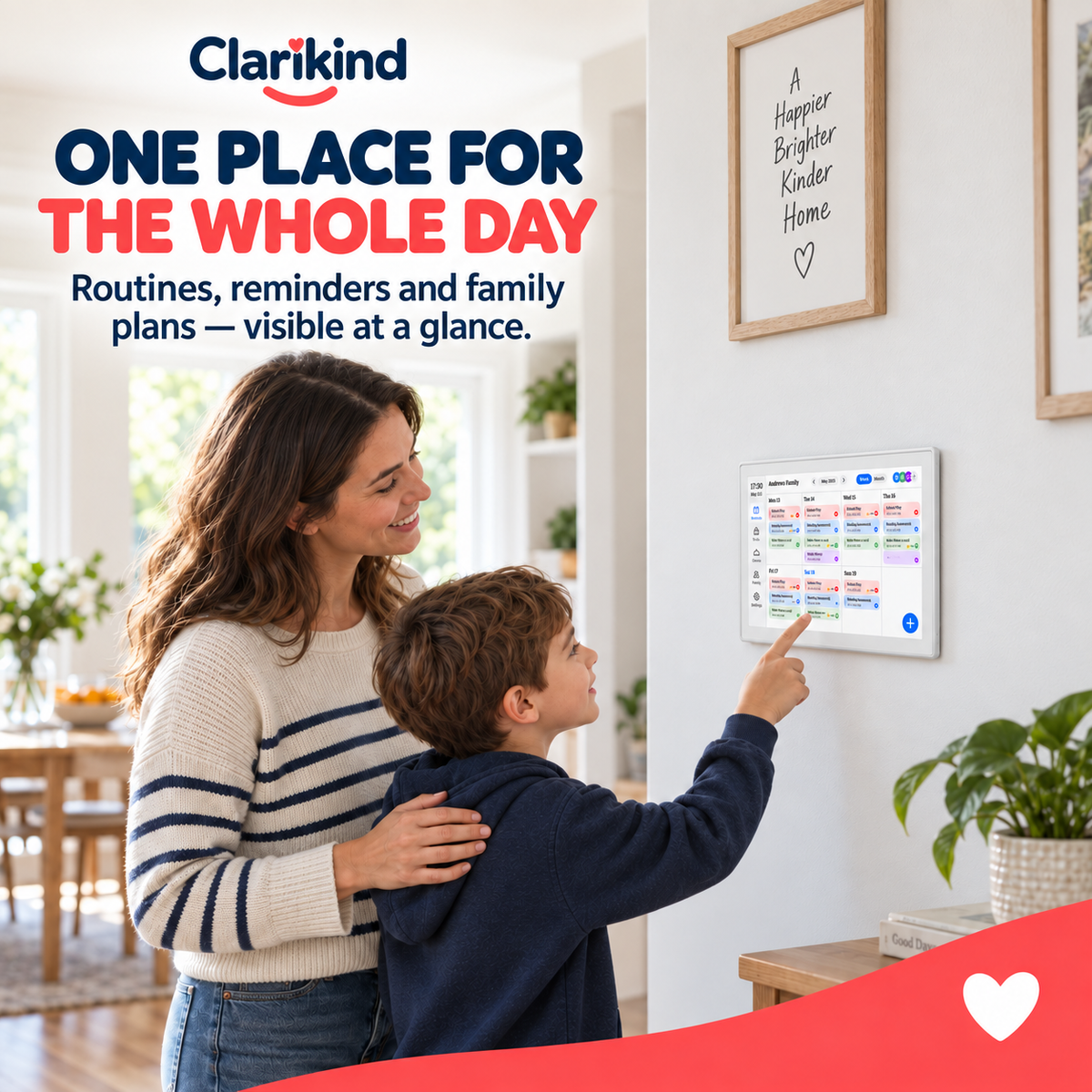
Clarikind's Digital Family Calendar keeps the plan in view, rather than buried in a string of messages or remembered at the last minute. Put familiar events where the family can check them. The calendar doesn't organise family life for you; it gives everybody a clearer place to look.
Begin with the next seven days.
Add the events that matter most — school, appointments and one family activity — then look at the screen together at a regular time. This is the fuller household view. If your child mainly needs individual steps for getting ready, the Visual Timetable may be all you need.
Features & details
- 10.1-inch IPS touchscreen, 1280 × 800
- ABS housing
- 32 GB storage
- Wi-Fi connectivity
- 2 W speaker, USB / Type-C / 3.5 mm ports
- Dimensions: 257 × 176 × 24 mm
- Choose UK, EU, US or AU plug
Delivery & returns
Delivery is free on every order. Every physical product is covered by our 14-day guarantee. See our Shipping Policy and Returns & Refunds Policy for details.
Product details, guidance & comparisons
School dates, appointments and last-minute changes all live in your head, until everyone starts asking you what’s happening next. Put the family plan on the CALM-R Hub where everyone can check it. The next question starts with the screen, not with you trying to remember the whole week.

The family week, out of your head
- The whole week in one place: school dates, appointments, clubs and events on one screen.
- A plan everyone can check: kids and adults can look up what’s next themselves.
- Chores on show too: add household tasks next to the schedule.
- Less to carry in your head: the plan is still there after the conversation ends.

Who it’s really for
We chose the Hub for the parent who carries the whole family calendar in their head. A shared screen spreads that load: the information stays there after the conversation ends. For the very next step, a picture board still works best; the Transition System combines both.
Digital Family Calendar or keeping the family plan in your head?
| What matters |  Clarikind Digital Family Calendar – 10.1-inch Screen |
Keeping the family plan in your head |
|---|---|---|
| Where the plan lives | On a shared family display | With the person remembering it |
| What everyone can check | Dates, appointments, events and household tasks | Ask the person carrying the plan |
| After the conversation | The display stays available to revisit | Recall or repeat what was discussed |
Useful guide: Digital Family Calendar vs App: Choose by Your Needs.
Choose the plug. Build the plan. Keep it visible.
Questions parents ask
Clear answers before you choose.

When is this the right option?
What do I receive?
How do we try it first?
What age or setup should I check?
How does delivery work?
What if it is not right for us?
Will the whole family actually use it?
Start with one shared plan on the screen — this week’s school days and one appointment. Once everyone checks it, add clubs and chores.
Other practical supports for the same everyday challenge.
Choose only what fits the moment. These are optional additions, not requirements.


 Digital Family Calendar – 10.1-inch Screen
Price
139.99£